Two weeks ago, I wrote that Webflow isn't just adding a few AI features to the Designer.
The company is beginning to rethink its platform with code as the single source of truth.
At Webflow Conf 2026, Webflow demonstrated just how serious they are about this direction.
The biggest announcement is Source by Webflow: a new platform where marketing teams, designers, developers, and AI agents can all work on the same technical foundation.
At the same time, Webflow announced new products for campaigns, content, and assets—and released a whole range of improvements that make the daily life of a builder better right now.
Honestly, if you look at all the announcements individually, it initially feels like a very long feature list.
It’s only when you look at them side-by-side that the real picture emerges.
Webflow no longer wants to be just the tool where a website is built.
Webflow wants to become the workspace where modern marketing teams continuously operate, test, localize, and improve their websites—together with AI agents.
That is ambitious, but not everything is a finished product today.
Making that distinction is important.
An overview of all major Webflow updates
This overview is current as of September 2, 2026.
Webflow is rolling out several features in stages. Availability and plan requirements may change accordingly.
Update
Status
What it is for
Source by Webflow
Limited research preview
A new agent-native platform built on code
Campaigns
Beta; purchase availability announced for October 2026
Briefs, landing pages, variants, ads, and measurement
Assets
Beta announced for October 2026
On-brand creative production and adaptations
Webflow AEO Agents
For Enterprise; additional agents announced
Measure AI visibility and act on content opportunities
MCP 2.1
Announced for September 2026
GSAP, deeper CMS queries, and Cloud deployments
Releases
Beta later in 2026
Branch, review, and publish complete sites
Agent Instructions Generation
Rolling out since September 2, 2026
Generate context files from existing site systems
Agent Presence
Announced for September 2026
See agent activity live on the canvas
Edit AI Code Components visually
Available since September 2, 2026
Generate via prompt, refine on the canvas
Components in CMS
Rolling out since September 2, 2026
Use components directly in rich text
Breakpoint Canvas
Rolling out; general availability announced for the following week
Edit all breakpoints side by side
Popovers, Agentic Translation, and Style Props
Staggered rollout over the coming weeks and later in 2026
UI primitives, continuous translation, and controlled styles
The bigger picture: Webflow is changing more than just the Designer
Webflow Conf 2026 highlights three shifts that shouldn't be viewed in isolation.
1. From a website builder to a marketing workspace
Webflow's traditional core was the visual build.
Designers could generate production-ready HTML, CSS, and JavaScript output without writing every line by hand.
The new products come into play later in the lifecycle.
Campaigns is designed to cover everything from the initial idea to the landing page, ads, and performance tracking.
AEO combines analysis, recommendations, and content production.
Assets expands the platform into the realm of creative operations.
Source is intended to bring these tasks together in a unified environment.
The key shift, therefore, is moving away from one-off website projects toward a system for continuous marketing work.
2. AI Agents are evolving from assistants into team members
Until now, AI in website tools often meant generating text, suggesting layouts, or creating code snippets.
Webflow is taking it a step further.
Agents are intended to find content, prepare changes, build animations, fix deployment errors, and eventually even identify opportunities independently.
However, this raises the same questions as with any other team member:
What is the agent allowed to access?
What is it authorized to change?
Who reviews the work?
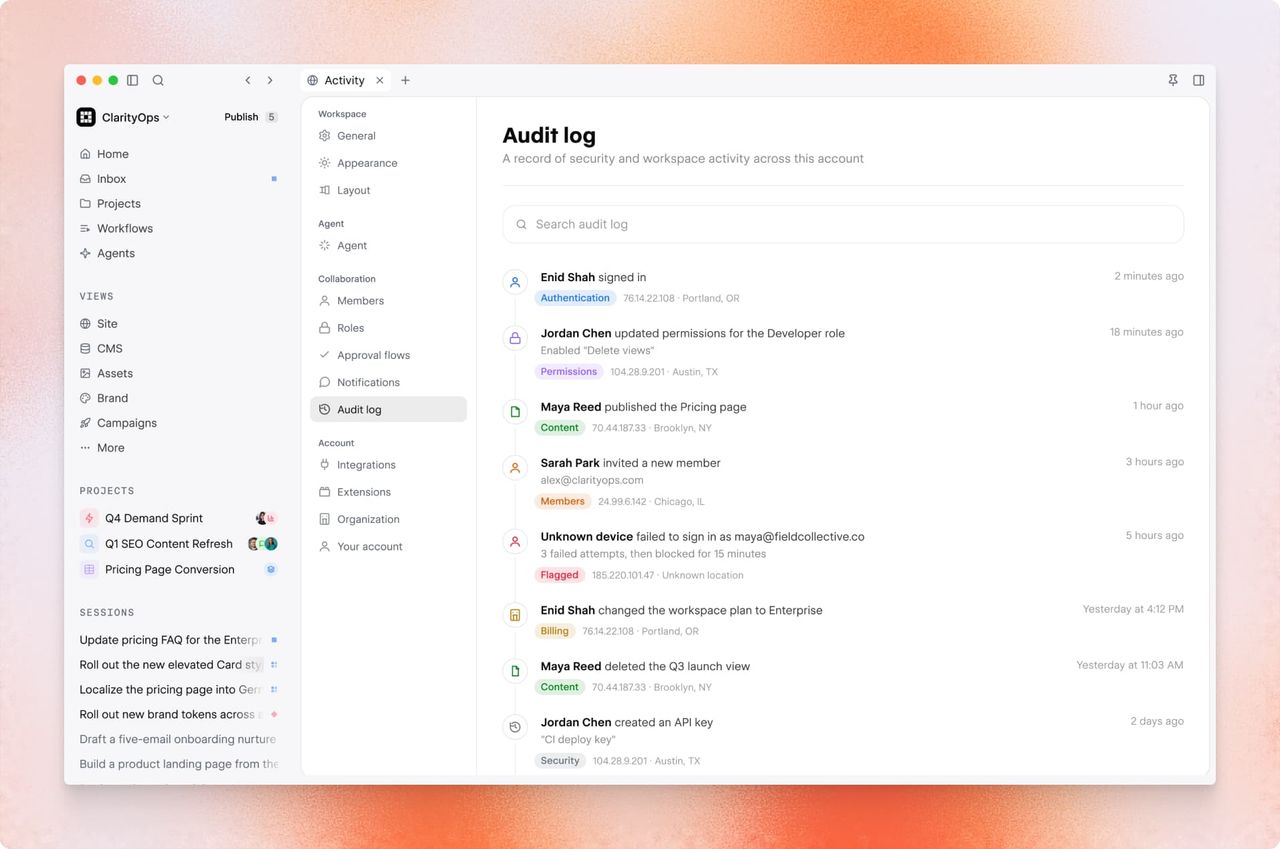
And how can we track what happened later on?
Releases, agent instructions, roles, approvals, audit trails, and agent presence are therefore not secondary issues.
They are the prerequisites for ensuring that agentic workflows become more than just a nice demo.
3. Control is becoming more important, not less
The faster teams can produce, the more easily inconsistency scales.
A faulty component isn't just used incorrectly once; it’s used on 40 landing pages.
An unclear brand voice doesn't just show up in one piece of text; it appears in every automatically generated variation.
That is why Webflow is placing such a strong emphasis on design systems, limited props, slot restrictions, default components, and approvals.
That is correct.
Speed without a system is just faster chaos.
Source by Webflow: The most strategically important announcement
Source by Webflow is not a new version of the current Designer.
Webflow describes Source as a new platform for modern marketing teams and their agents to launch, optimize, and scale digital experiences together.
Three principles are at the core:
Code as a shared foundation. Source is designed to work directly with the code that is actually published. This means the visual canvas, developers, and agents will eventually all be modifying the same artifact—rather than separate representations that require tedious synchronization.
Views for different roles. Marketers, designers, and developers should each have an interface tailored to their specific tasks. A view can focus on campaigns, content, optimization, or a company-specific workflow.
A common layer above the existing stack. Source is intended to connect the codebase, CMS, hosting, and marketing tools. Webflow explicitly positions the platform as composable—meaning it is not exclusively for teams looking to replace their entire stack with Webflow.
Why Source is interesting for agencies and B2B SaaS
For B2B SaaS companies, the concept is attractive:
Marketing works visually and close to the final result.
Developers retain access to real code.
Agents handle repeatable or data-driven tasks.
Governance is not spread across ten separate tools, but managed within a single, shared layer.
For agencies, the service offering shifts as well.
In the future, the real value will lie less in building every single landing page from scratch.
The systems behind them are becoming more interesting: components, views, agents, approvals, and reusable workflows that clients can manage themselves after launch.
This aligns with a trend we have been observing for some time:
Great Webflow projects don't derive their value from an agency constantly overseeing every text change.
They become valuable when the marketing team can work quickly without sacrificing design quality, technical stability, or conversion logic.
The important caveat: Source is not yet a finished product.
Source is currently in a limited research preview.
While the announcement gives us an idea of the architecture and direction, it doesn't yet provide reliable information on pricing, full feature sets, migration, or day-to-day viability.
At the same time, Webflow has made it clear that the existing platform will continue to be developed.
Existing websites do not need to be migrated or rebuilt right now.
When Source is ready later on and a team wants to switch, there will be a supported path to do so.
Campaigns, Assets, and AEO: Webflow takes on the marketing workflow
Source is the long-term vision.
Campaigns, Assets, and AEO show which specific marketing processes Webflow intends to tackle first.
Campaigns: From brief to live campaign
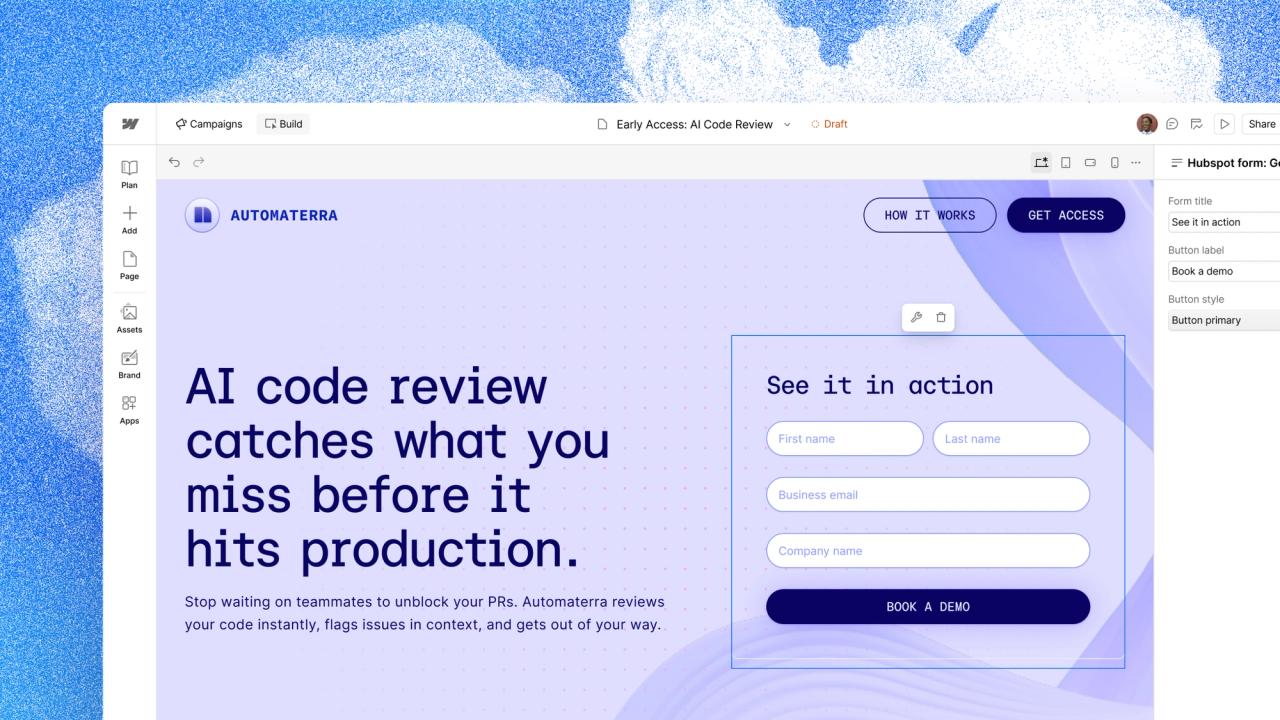
Campaigns is aimed at performance marketing teams.
The starting point can even be a website that isn't built on Webflow.
An agent analyzes the URL, colors, fonts, and UI elements to create a brand system from them.
Next, Campaigns is designed to review and refine the brief, account for target audiences and channels, generate a primary landing page along with variants for specific audiences, target accounts, or keywords, and create matching ads.
The content is intended to be deployable across platforms like Google Ads.
The workflow doesn't end after the launch.
Campaigns is designed to measure conversions, incorporate pipeline data from HubSpot or Salesforce, and continuously recommend changes to landing pages.
The exciting part isn't the AI-generated landing page.
Many tools can do that by now.
What’s exciting is the closed-loop process involving brand context, variants, distribution, CRM data, and optimization.
Campaigns is currently in beta.
Webflow has announced that it will be available for purchase in October 2026.
Assets: Brand-compliant creatives instead of isolated AI images
Assets is designed to understand approved brand assets and adapt them for other formats or channels.
Examples mentioned include both static adjustments and video workflows such as trimming, removing filler words, and adding subtitles.
The idea addresses a real problem:
Generative tools produce variants quickly, but they often lack knowledge of design systems, brand voice, asset libraries, or performance history.
Every new ad drifts a little further away from the brand.
Assets is designed to make this context available directly within Webflow.
The product is technologically based on Vidoso, a company acquired by Webflow in 2026.
The beta is scheduled for release in October 2026.
Webflow AEO: From analysis to content production
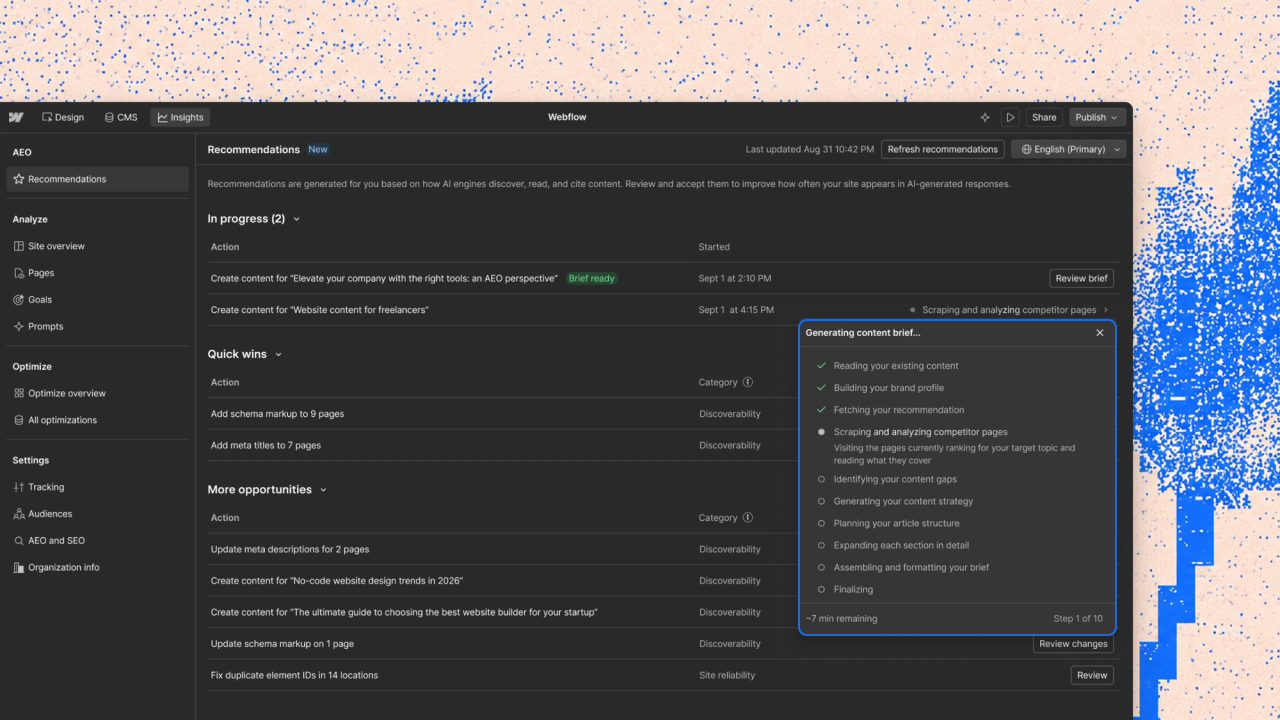
With Webflow AEO, Webflow aims to make visibility in ChatGPT, Claude, Gemini, and Perplexity measurable.
Teams will be able to see which questions trigger mentions or citations of their brand, which competitors appear instead, and which LLMs drive qualified traffic.
New Content Agents identify content gaps, create briefs, and generate initial drafts directly within the CMS.
In the coming months, these agents will also be able to update existing content.
Later this year, external agents are planned to have access to AEO data via Webflow MCP.
Webflow reports from internal data that customers who implemented AEO recommendations achieved 70% more mentions and 120% more citations compared to a control group that did not implement the same recommendations.
Webflow refers to this as a directional finding.
The comparison does not isolate the effect of the recommendations from seasonality, marketing activities, or other site changes.
That is exactly how these figures should be interpreted:
As an interesting signal, not as a guaranteed uplift.
MCP 2.1, releases, and Agent Presence: Agents are moving into production
MCP 2.1 expands access
Webflow MCP 2.0 already provided agents in tools like Claude, ChatGPT, and Slack with access to design systems, component props, variants, and Webflow Analyze data.
MCP 2.1 expands this access in three key areas:
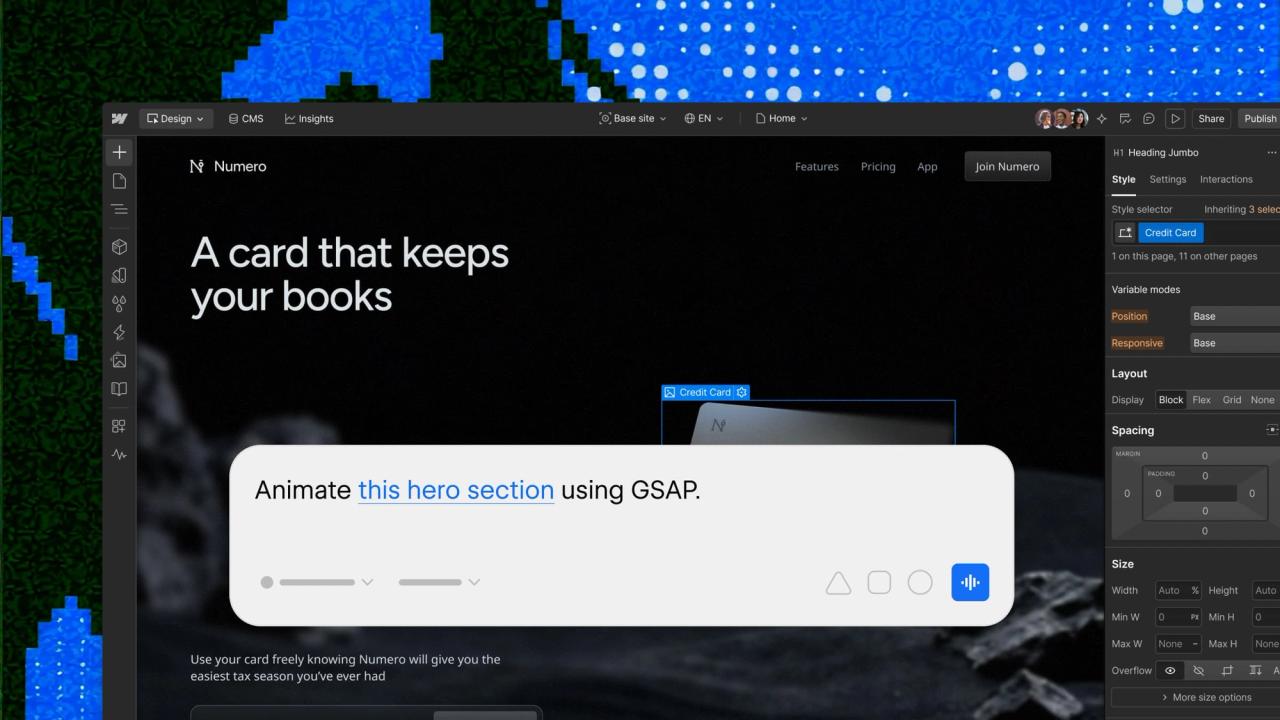
Interactions with GSAP: An agent can create more complex, timeline-based animations that can subsequently be further refined using Webflow's visual controls.
Better CMS queries: Agents can sort and filter by custom fields, search reference fields, and process paginated results. This reduces unnecessary individual steps during content audits.
Webflow Cloud: Deploy errors and logs are now accessible to agents, allowing Claude Code, Codex, or Cursor to troubleshoot issues and redeploy.
MCP 2.1 is scheduled for general availability later in September 2026.
Access to AEO Analytics and Webflow Optimize has been announced for future releases.
Releases is designed for larger teams and complex launches.
Instead of merging individual changes directly to the live site, a team can branch an entire site – including pages, CMS content, components, assets, and locales.
A release manager shows what has been changed, who is working on it, and the status of the package.
Other published changes can be merged back into open branches.
Agents operate within the same roles and permissions as human team members.
For enterprise teams, this is arguably one of the most important announcements of the conference.
Marketing autonomy only works if major changes can be safely prepared, reviewed, and published together.
Releases is scheduled to enter beta later in 2026.
Agent Instructions and Agent Presence create context and visibility
Agent Instructions already exist as Markdown files for design system documentation, SEO rules, form governance, or CMS guidelines.
What's new is that Webflow can now generate these instructions based on the context of an existing site.
Templates cover brand guidelines, design systems, assets, and CMS content, among other things.
Agent Presence also shows you live on the canvas where an agent is currently working.
It sounds like a small detail, but it solves a practical collaboration problem:
No one wants to edit the same area at the same time or publish a site while an agent is still making changes.
The generation of agent instructions has been rolling out since September 2, 2026.
Agent Presence is scheduled for release later in September.
Builder updates that make a difference today
The vision for the future gets the most headlines.
For teams working in Webflow every day, however, some smaller releases are immediately more valuable.
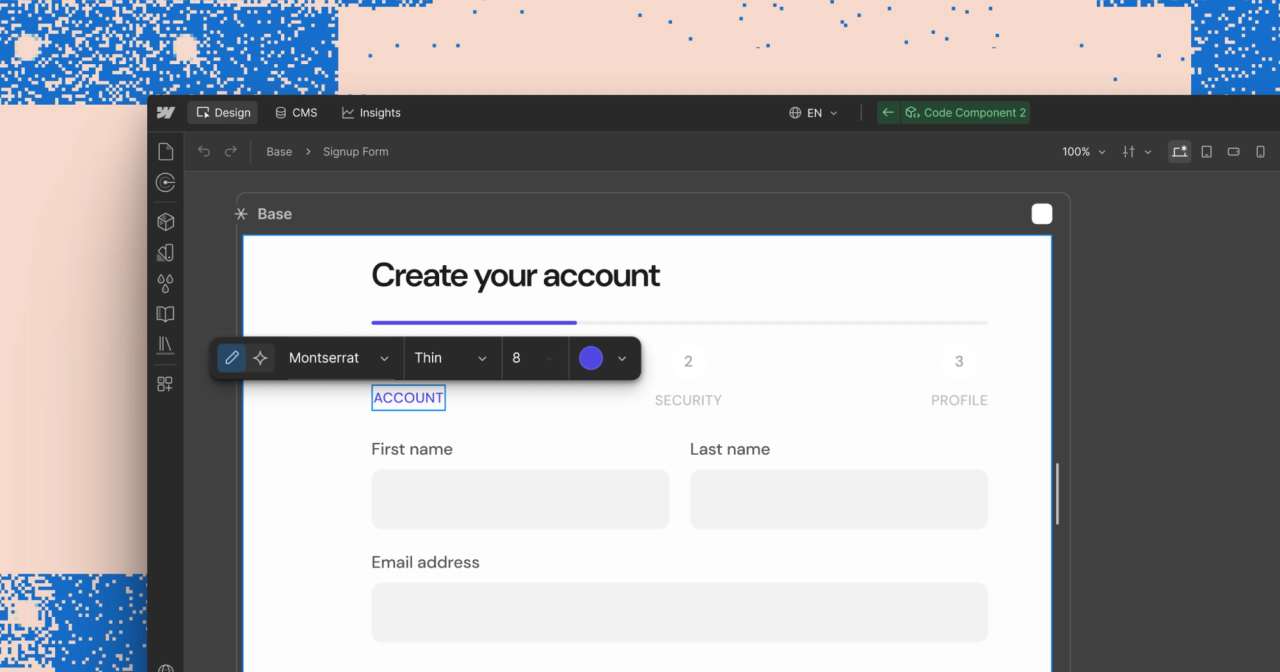
AI Code Components can now be edited visually
AI Code Components enable interactive React components such as ROI calculators, multi-step forms, or specialized product modules.
Previously, changes had to be made via a new prompt or directly in the code.
Now, you can select elements within an AI Code Component on the canvas, style them in the Style Panel, and edit text directly.
Individual elements can also be passed to the Assistant as context, ensuring the next prompt refers specifically to that area.
This effectively bridges two ways of working:
AI creates the complex foundation.
A designer handles the precise final mile.
Visual editing has been available to all customers since September 2, 2026.
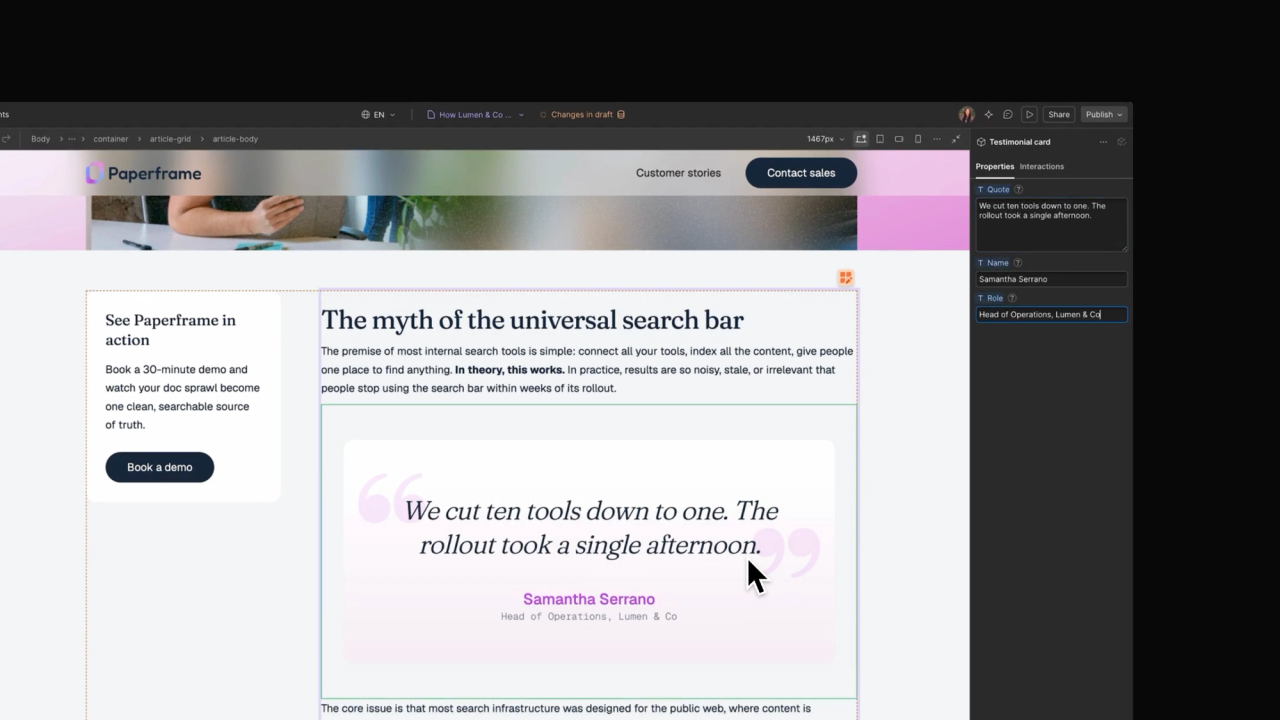
Components can now be used directly within CMS Rich Text
It sounds modest, but for content-driven websites, it’s a major step forward.
CTA modules, testimonial cards, pricing elements, or interactive calculators can be inserted directly into Rich Text fields and configured per CMS item using props.
If the underlying component design is updated, all instances are updated centrally.
This makes content significantly more modular for B2B SaaS blogs.
An article no longer has to consist solely of headings, paragraphs, and images.
Conversion elements become controlled building blocks that the marketing team can deploy themselves, without needing custom code or a developer every time.
There are some initial limitations:
Components containing Collection Lists cannot be placed within Rich Text.
Components within Rich Text cannot be bound to CMS fields, and their slots cannot be exposed there.
The rollout began on September 2nd.
Webflow expects general availability within a week.
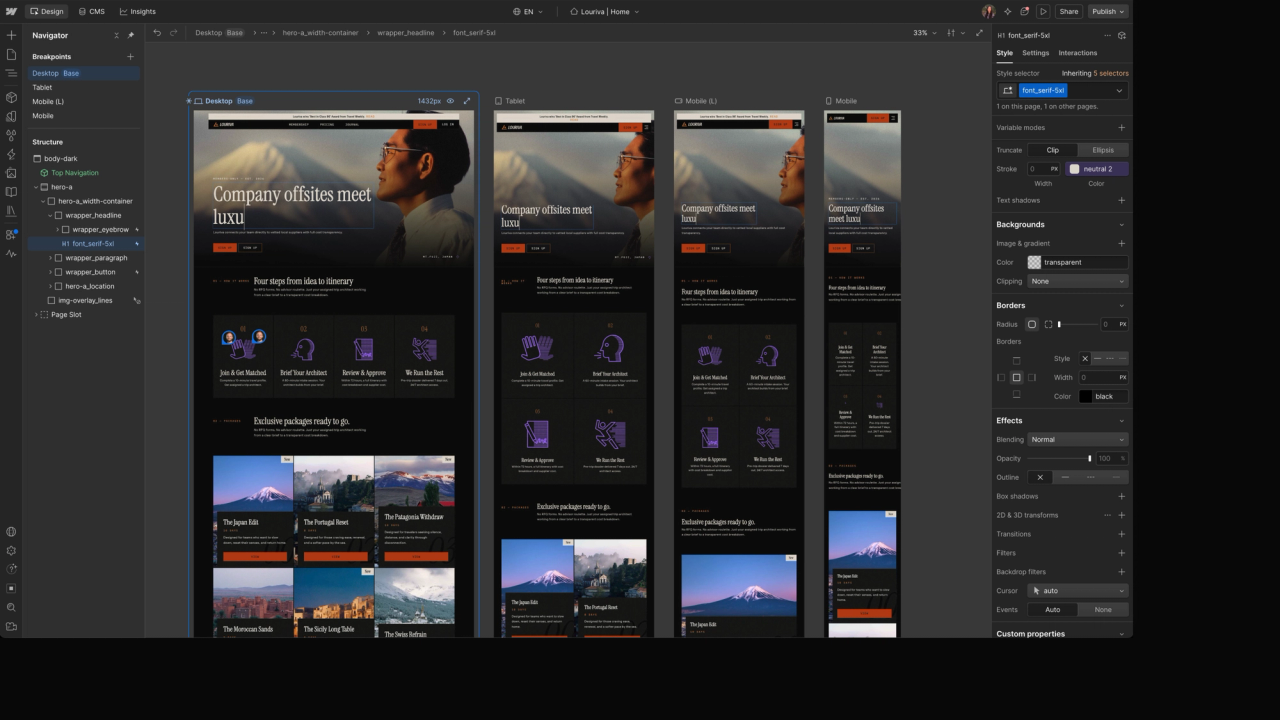
Breakpoint Canvas displays all viewports side-by-side
The new Breakpoint Canvas displays desktop, tablet, and mobile frames in a single, unified view.
Changes made to the active breakpoint are immediately visible in the context of the other breakpoints.
This reduces context switching and makes it easier to manage inherited styles, overrides, and agent-specific changes.
For complex pages, this may seem less spectacular than other features, but it’s likely one of those tools you won’t want to live without after just two weeks.
The rollout began on September 2, 2026.
Webflow announced availability for all customers the following week.
The expanded view is not initially available in Preview or Comment mode.
Edit desktop, tablet, and mobile breakpoints simultaneously on the Webflow Canvas. Source: Webflow – Builder Keynote 2026
Popovers, Default Components, Translation, and Style Props
Four additional announcements improve the balance between flexibility and guardrails:
Popovers bring native building blocks for modals, tooltips, banners, and menus. Webflow is leveraging modern browser primitives like Anchor Positioning and Top Layer instead of heavier JavaScript workarounds. The rollout is scheduled to begin in the coming weeks.
Default Components for Slots define which component a slot starts with. Combined with Component Visibility and Slot Restrictions, marketing teams get curated, secure building blocks instead of an uncontrolled library. Availability: later in September 2026.
Agentic Translation is designed to automatically transfer new and updated copy into the correct locales. Teams can use translation as an ongoing workflow or continue to refine it manually. Rollout: in the coming weeks.
Style Props are intended to make controllable design options like colors and sizes available directly on components. The team gains freedom without having to open up the entire styling. Availability: later in 2026.
Performance: Improvements under the hood
Webflow also highlighted concrete performance gains.
Copying large elements is reportedly up to 98% faster, pasting 7.7x faster, rendering of published sites up to 43% faster, and publishing up to 80% faster.
Such maximum values do not automatically apply to every project.
Nevertheless, the direction is significant.
For large sites, productivity doesn't just come from new AI features, but from saving time on a hundred small tasks every day.
What these announcements really mean for B2B SaaS teams
1. The website is finally becoming an ongoing growth system
A B2B SaaS website is never finished.
Positioning evolves.
New use cases emerge.
Campaigns require their own landing pages.
Content needs to be updated, localized, and structured for new discovery channels.
Webflow is built specifically for this reality.
The launch is no longer the end of the project, but the start of a continuous operating model.
2. Content and conversion are merging
CMS components are a perfect example of this.
Content teams can do more than just publish text; they can deploy structured conversion modules.
A comparison article can include an ROI calculator.
A case study can display the appropriate demo CTA.
A product update can lead directly to a relevant use case page.
This turns the blog from an archive into an active part of the funnel.
3. Marketing autonomy requires a system
More permissions and faster tools alone do not create autonomy.
A team needs clear components, named variables, intuitive props, defined content models, and guardrails for high-risk changes.
The new guardrails show that Webflow has recognized the same problem.
Good systems do not give teams unlimited freedom.
They make the right decisions easy and the wrong ones difficult.
4. The role of agencies is shifting
As landing pages, variants, and content drafts are created faster, the value of purely execution-based work decreases.
In return, the value of strategy, positioning, system design, quality control, and enablement is rising.
The agency of the future does not just build pages.
It builds the operating system that allows a marketing team to grow independently afterward.
What Webflow teams should do now
Audit your existing component system. Which components are truly reusable? Are props intuitive? Are variants and slots limited enough to ensure marketers can make safe decisions?
Plan CMS content modularly. Identify recurring conversion modules like CTAs, quotes, comparison tables, or calculators that can function as components within Rich Text in the future.
Document agent instructions. Brand voice, SEO rules, design systems, forms, and approval processes should not live only in the heads of individual team members. Even without an agency, this makes handovers much smoother.
Evaluate a campaign process, not just a tool. When testing Campaigns, don't just measure the speed of the first landing page. Evaluate briefing quality, variants, distribution, CRM integration, approvals, and ongoing optimization.
Test the available builder features in practice. Visual editing for AI code components, CMS components, and Breakpoint Canvas provide actionable insights today. You don't need to wait for Source to start.
Do not plan a premature migration to Source. The platform is in research preview. Monitor its development, prepare your systems, and only make architectural decisions once the product, pricing, limits, and migration path are robust.
Our takeaways from Webflow Conf 2026
Webflow Conf 2026 was less about a single product launch and more about the unveiling of a new operating system for web marketing.
Source shows where Webflow is headed in the long term:
Code as a shared foundation.
Role-based interfaces.
Agents that don't work outside the system, but within it.
Campaigns, Assets, and AEO simultaneously expand Webflow beyond just the build.
MCP 2.1, Releases, and Agent Presence provide the technical and organizational infrastructure for this.
But perhaps the best news is hidden in the smaller updates.
Webflow continues to invest in today's designer, the CMS, components, responsive workflows, and performance.
The platform you know isn't disappearing overnight.
That makes the strategy more credible.
Webflow isn't just promising an agentic future.
The company is simultaneously improving the systems that this future must be built upon.
And that is exactly the crucial point:
AI will not automatically generate great websites.
But it can help good teams operate a clean website system faster and more consistently.
Those who invest in positioning, design systems, CMS architecture, and governance today are not just preparing for the next Webflow feature—they are building the foundation for how modern marketing teams will work in the future.
Frequently asked questions
What is Source by Webflow?
Source by Webflow is a new platform for marketing teams, designers, developers, and AI agents.
It is designed to work directly on code, connect existing MarTech systems, and provide role-based workspaces.
Source is currently in a limited research preview.
Is Source by Webflow available yet?
Only to a limited extent.
As of September 2, 2026, Webflow is gradually onboarding selected agency partners and customers into a research preview.
Webflow has not yet announced a general launch date or final pricing.
What happens to existing Webflow websites?
Existing Webflow sites can continue to be operated as usual.
Webflow is continuing to develop its current platform and has announced a supported path for a voluntary transition to Source at a later date.
There is no immediate need for migration today.
Which Webflow updates are already available?
Visual editing for AI Code Components has been available since September 2, 2026.
Components in CMS, Breakpoint Canvas, and the generation of Agent Instructions are currently being rolled out.
Other features such as MCP 2.1 and Agent Presence are scheduled to follow later in September.
What does Webflow MCP 2.1 offer?
MCP 2.1 expands AI agents' access to Webflow.
This includes GSAP-based interactions, improved CMS queries, as well as insights into error logs and re-deployments for Webflow Cloud.
Can Webflow components be used in the CMS now?
Yes.
Components can be inserted directly into rich text fields and configured per CMS item using props.
There are limitations at launch: collection lists within components are not supported, and CMS bindings and shared slots are also unavailable in rich text.
Is Webflow now a code-first tool?
Webflow has announced that it will make code in Source the common foundation.
The current Webflow platform continues to operate using its existing internal site model.
Therefore, code-first primarily describes the direction of Source, rather than an immediate conversion of all existing websites.
Who are the Webflow Conf 2026 updates most relevant for?
Primarily for larger marketing teams, B2B SaaS companies, agencies, and organizations with high volumes of campaigns, CMS content, locales, or approval workflows.
Smaller teams will benefit most in the short term from the builder and CMS improvements.
About the author
Tarik Yayla
Founder @ path digital
Tarik founded path digital with a clear conviction: a good B2B SaaS website starts with strategic positioning. Together with his team, he combines clear messaging, design and Webflow to help companies develop their websites with purpose. Away from website relaunches, he trains for marathons and explores how AI is changing agency work.
We use cookies and similar technologies to understand how our website is used and improve our website and advertising. You choose which optional cookies to allow. Read our privacy policy
Cookie & storage details
Provider of this website: path digital. No analytics storage is created by scrolling or opening these details. Optional analytics can be declined without restricting the website.
Necessary: your choice
Name / technology
pd_consent_v2 · Local Storage
Provider / purpose
path digital: remembers your consent or rejection after you make a choice.
Duration
Valid for 180 days. We ask again after expiry. Browser storage remains until replaced or deleted.
Necessary: selected language
Name / technology
pd_language · Cookie
Provider / purpose
path digital: remembers German or English only when you explicitly use the language selector. Overrides browser preference on a later direct homepage visit.
Duration
180 days; replaced when you select another language.
Reach measurement without storage: PostHog
Provider: PostHog Inc., USA; EU hosting. Without statistics consent, we count page views, CTA clicks and booking steps and measure load times (Core Web Vitals) cookieless: nothing is stored on your device, and PostHog derives a daily changing, non-reversible identifier on its servers from IP address and browser data. No session recordings or form contents.
Optional: PostHog statistics
With statistics consent, PostHog also uses random visitor and session identifiers in your browser so that visits across several pages and days can be understood together.
Name / technology
ph_phc_u1gZuicUCym1nXYZNBjF0d7KMZm2LnAiHKU30HoiYVk_posthog · Local Storage / Session Storage
Duration
Local Storage has no automatic browser expiry; removed on withdrawal or when expired consent is detected on a visit. Session Storage lasts for the tab session.
Tab identifier
ph_phc_u1gZuicUCym1nXYZNBjF0d7KMZm2LnAiHKU30HoiYVk_window_id · Session Storage · Distinguishes tabs during a session; removed on withdrawal.
Consent marker
__ph_opt_in_out_phc_u1gZuicUCym1nXYZNBjF0d7KMZm2LnAiHKU30HoiYVk · Local Storage
Purpose / duration
Records the SDK opt-in after statistics consent, without a visitor identifier. Removed on withdrawal.
Marketing: Google Ads
Google Ireland Limited, Ireland; processing may also take place in the USA. Measures advertising performance and confirmed bookings and supports advertising attribution. Requires marketing consent. Google Analytics is not used.
_gcl_au, _gcl_aw
Advertising and click attribution · cookies · up to 90 days. The conversion linker requires marketing consent.
Meta Platforms Ireland Limited, Ireland; processing may also take place in the USA. Measures advertising performance and confirmed bookings, and supports remarketing. Requires marketing consent.
_fbp
Browser identifier · cookie · up to 90 days.
_fbc
Associates an ad click with later actions · cookie · up to 90 days; only when an ad click identifier is available.
LinkedIn Ireland Unlimited Company, Ireland; processing may also take place in the USA. Advertising attribution, audience analysis and remarketing. Requires marketing consent.
li_gc
Stores LinkedIn consent · cookie · 6 months.
bcookie
Browser identifier · cookie · 1 year.
lidc
Routes LinkedIn requests · cookie · 1 day.
UserMatchHistory, AnalyticsSyncHistory
Advertising attribution and identifier synchronization · cookies · 30 days.
Snitcher B.V., Netherlands. Identifies companies visiting this website based on the IP address and evaluates their visits. If you enter your email address in one of our forms (booking, download, website audit), Snitcher links it to your visits on this website, including earlier ones, so we can see which pages you viewed. Without marketing consent Snitcher only records the current visit, with no lasting identifier; recognising returning visits and linking your email address require marketing consent.
snitcher_device_id / radar_device_id
Recognizes returning visitors · cookie and Local Storage · 1 year.
snitcher_session / radar_session
Associates page views with a visit · Local Storage · current visit.
snitcher_sn_* / radar_sn_*, spotter_data
Technical visit data for company identification · Session Storage · tab session.
Google Tag Manager loads these services only after the corresponding choice. Scrolling does not count as consent. Cookie lifetimes may be shortened by browser settings. Depending on sign-in state and browser restrictions, providers may also use their own domain cookies; their tables above list the details. Withdrawal stops future loading and removes accessible tracking storage on our domain. Cookies on other domains can be deleted in your browser settings.
To withdraw, open “Privacy settings” in the footer and choose “Necessary only”. Further information on processing and your rights: Privacy policy · PostHog Privacy