Webflow is a platform for designing and publishing websites visually. A built-in content management system (CMS) handles recurring content such as blog articles or customer stories, and hosting is part of the package.
If you are responsible for a B2B SaaS website, the system has to support both the product presentation you want and your team's day-to-day work. Your team wants to publish new product content and build campaign pages. We show what Webflow offers for this and when you still need help from design or development.
How does Webflow work?
In the visual editor, you define how a page is structured and how its elements appear on different screen sizes. Recurring sections can be set up as components, such as a customer story card or an area for product visuals. You can then reuse them on other pages.
For content with a similar structure, you use the Webflow CMS. For a customer story, for example, you store the company name and a description of the collaboration in dedicated fields. A designed template determines how this content appears on the published customer story page.
When you publish, Webflow deploys the website on its own hosting infrastructure. For testing, you can use a Webflow subdomain; to connect your own domain, you need a paid site plan.
The term "no-code" describes the ability to build many parts of a website visually without writing the code by hand. A professional build still requires knowledge of web design and how layouts behave. Maintaining an existing CMS is therefore a different task from developing the website from scratch.
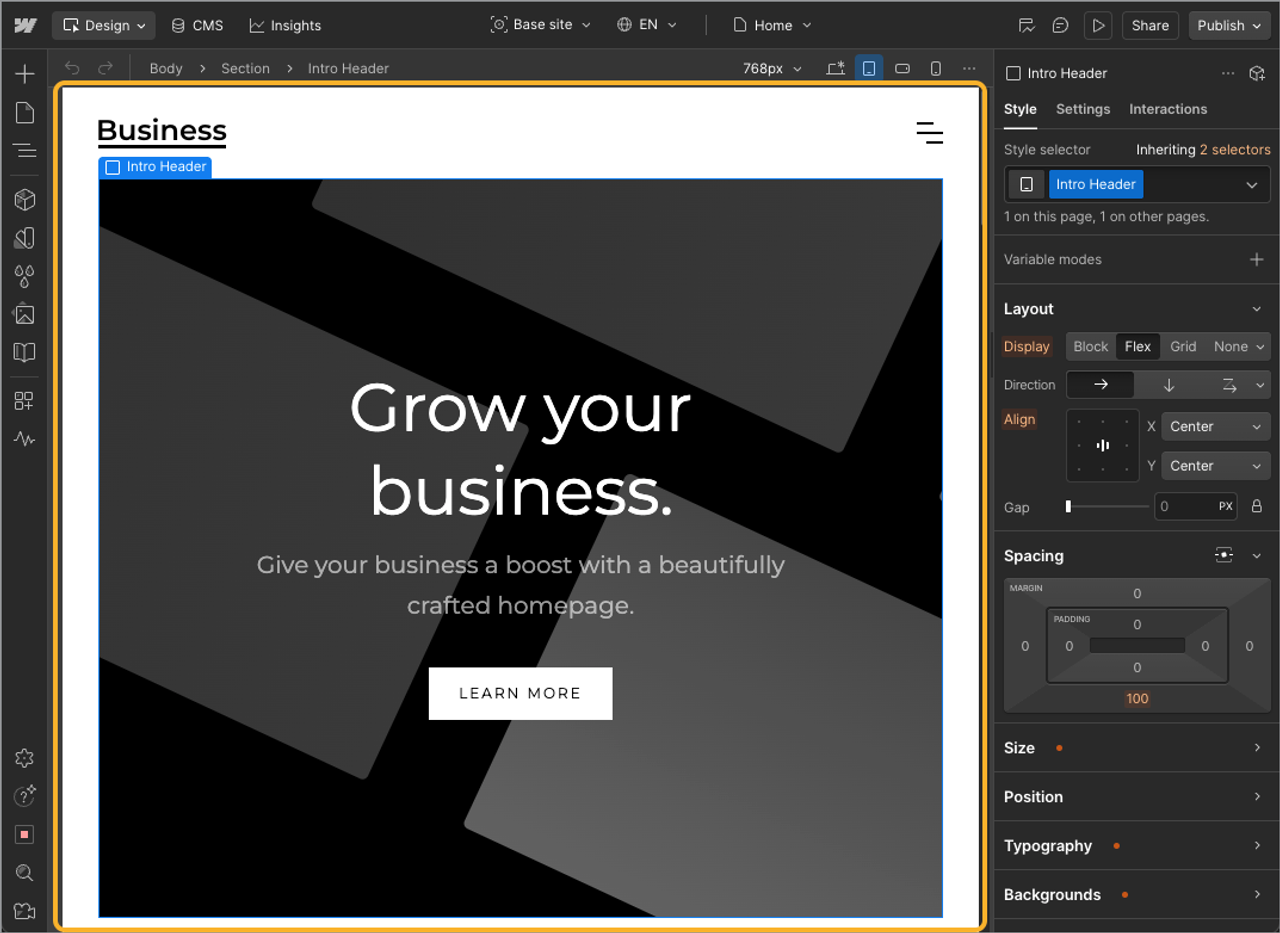
Webflow's visual editor: the website sits on the central canvas, while layout and spacing are set on the right. Image source: Webflow Help Center – Intro to Webflow. Official product view with a demo website.
What kinds of websites can you build with Webflow?
Webflow is a good fit for marketing websites with individually designed pages and recurring content. For a B2B SaaS company, that can be the public website, while the software itself runs separately. The website explains the product and helps prospects make their choice.
Take a hypothetical SaaS product that helps project teams coordinate client approvals. The marketing team wants to explain this use case on the website and promote it with a campaign. The pages each do a different job:
- Product and use case pages: Individually designed pages can combine product visuals with explanations of the specific use case.
- Customer stories and blog: Recurring content is maintained in the CMS and displayed through shared page templates.
- Campaign pages: Prepared components can be rearranged for different campaigns.
Reusable structures pay off most after launch. For Converia, we brought two product lines together under one brand and moved the WordPress blog into the Webflow CMS, building callout boxes and download elements as reusable components along the way. Since going live, the Converia team says it publishes new pages much faster and often fills the CMS with AI support through the Webflow MCP server. So plan the structure of your content when you choose your CMS.
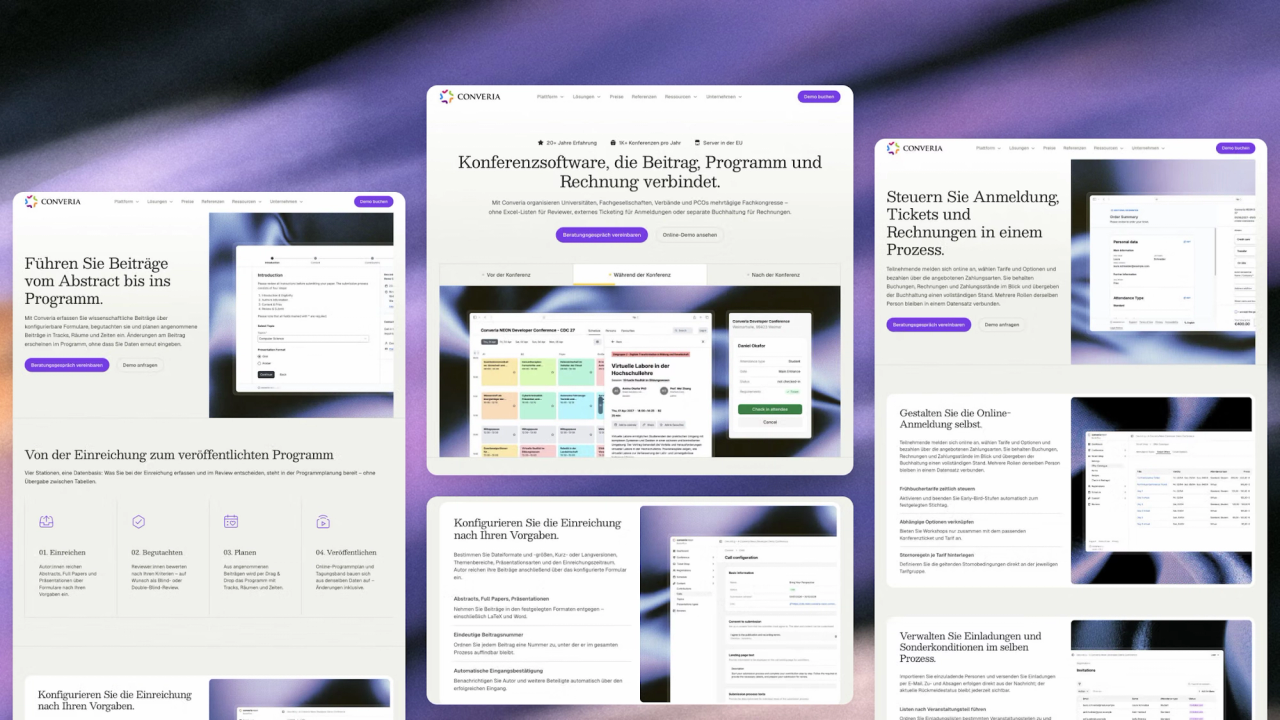
The Converia website built by path digital: home page plus pages for submissions and attendee registration. Image source: Converia project by path digital.
You can add forms and connect them to other systems, for example to pass a demo request to your CRM. Which integration fits and how it is set up depends on the systems involved. Webflow does not replace that alignment, nor the work of writing clear product copy.
For SEO, Webflow comes with the most important settings without plugins. You set the title and meta description per page; on CMS pages, they can be generated automatically from fields such as the article title. You manage 301 redirects yourself in the settings, and Webflow generates the XML sitemap automatically.
Structured data, on the other hand, is not created on its own: you add it per page or template, and Webflow AI can help you write it. If you are migrating an existing website, our article on SEO and AI search in a website relaunch covers what to watch out for.
What can your marketing team change on its own?
Your team can maintain content in prepared structures and, with the right role, build new pages from existing components. How far this goes depends on how the website is built and which permissions are granted. A new way of presenting the product may therefore need extra design work, even if the team updates the existing pages itself.
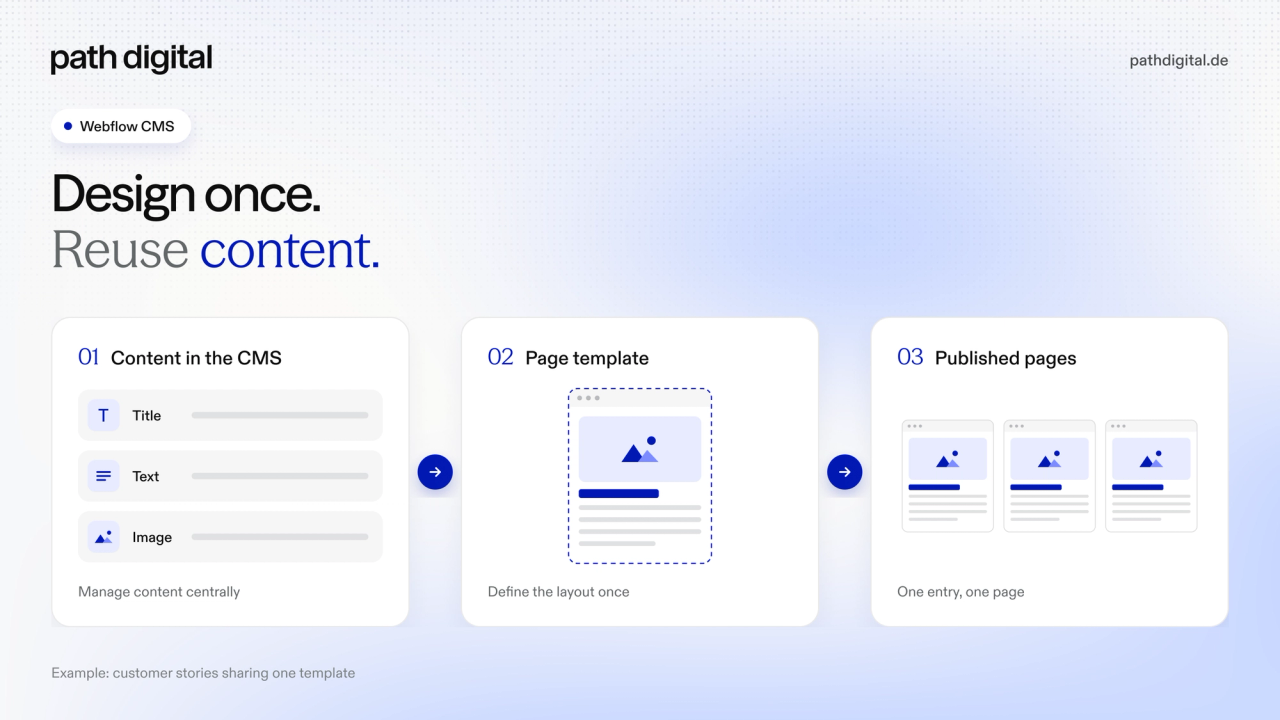
How the CMS works, using customer stories as the example: the template defines the structure, and each entry supplies the content for its own customer story page. Diagram by path digital.
| Task | Requirement | Marketing team's work |
|---|---|---|
Publish a customer story | CMS fields, customer story template and the right permissions | Enter approved content, check the layout and publish |
Build a campaign page | Prepared components and permission to build pages | Arrange sections and fill them with campaign content |
Create a new use case page | Suitable building blocks for the workflow and an existing way to embed customer stories | Explain the use case and add approved content |
Add a new interactive element | Additional design or technical implementation | Describe the requirements and review the result |
Among other roles, Webflow distinguishes between Content Editor and Marketer. A Content Editor can edit content; the Marketer role also allows building pages from existing components. The exact capabilities and publishing rights are described in Webflow's site roles and permissions and have to match the plan you choose.
What matters, then, is which tasks are actually practiced during the handover. Adding a customer story and building a new campaign page place different demands on your team. Webflow's page building demo gives you a feel for working with prepared components.
Who is Webflow right for, and where are its limits?
Webflow works well for B2B SaaS teams that need an individually designed marketing website and want marketing to maintain its content. It makes the most sense when design and CMS are first built professionally and your team then publishes, for example, new customer stories or campaign pages on its own. Keep planning for support with new layouts and additional functionality.
Evaluate features such as a customer portal with its own access rights separately: being a good fit for your marketing website says nothing about whether Webflow also covers those requirements. Special integrations may require additional development. If the entire website, including the CMS, has to run on your own infrastructure, Webflow does not meet that requirement.
How does Webflow compare to WordPress and Framer?
All three systems can support a marketing website; what counts for your choice is how your team gets the necessary tasks done in each. Differences show up, for example, in page building and technical extensibility. The overview below compares Webflow with self-hosted WordPress and Framer.
| Criterion | Webflow | WordPress, self-hosted | Framer |
|---|---|---|---|
Building new pages | Visual building; marketing uses prepared components | Blocks and patterns, depending on theme and extensions | Visual building with reusable components |
Maintaining recurring content | CMS with defined fields and page templates | Posts and pages; further content types after setup | CMS with collections and templates |
Publishing changes | Roles and plan-dependent publishing rights | Roles with different editing and publishing rights | Project permissions; scope of rights depends on the plan |
Adding languages | Localization, with plan-dependent extra costs | Localization, with plan-dependent extra costs | |
Operation and extensions | Hosting through the platform; additional integrations as needed | Organize hosting and updates yourself or have them managed; extensions via plugins and code | Hosting through the platform; check extensions against the functionality you need |
What this means for your choice: If you have to host the website, including the CMS, yourself, that points to self-hosted WordPress. For a platform-hosted marketing website with a CMS, both Webflow and Framer are options; compare how a page you need is built and which publishing rights the chosen plan provides. If your team already knows the current system and it covers these tasks, a switch needs a concrete additional benefit.
How much does Webflow cost?
Webflow's ongoing fees depend on the plan and the features you need. Planning and building your website are not included. A few plan examples are enough to put these costs into perspective:
| Site plan | Price, billed yearly | What it covers |
|---|---|---|
Starter | Free | For trying things out on a webflow.io address; limited scope |
Basic | 15 USD per month | Custom domain, no CMS |
Premium | From 25 USD per month | With CMS; price depends on the selected scope |
These figures come from the Webflow pricing page, checked on October 14, 2026. They apply per website and exclude any applicable taxes; monthly billing has different prices. Basic is therefore not the right plan for a website with CMS customer stories or a CMS blog.
In addition to the site plan, Webflow charges for collaboration through a workspace and seats. According to Webflow's site roles and permissions, you can only assign roles such as Content Editor or Marketer from the Growth workspace plan at 49 USD per month, which is also where you decide who may publish. Each person in marketing needs a Limited seat for 15 USD per month, while colleagues who only review and comment get free seats.
For a website with a CMS and two people in marketing, billed yearly, the minimum adds up like this: 25 USD for Premium plus 49 USD for Growth plus 2 × 15 USD for the Limited seats, a total of 104 USD per month plus taxes. Every workspace already includes the workspace owner's seat. If an agency manages the website in its Agency workspace, up to three free client seats per website are included for your team.
For your overall budget, it also matters what work the website needs. A campaign page built from existing components requires less new design than a page with an additional interactive product presentation. In both cases, you still need to plan for copy and its subject-matter review.
If you are considering a bigger rebuild, our article on website relaunch costs helps you put the project budget into perspective. The project ranges mentioned there refer to the scope of work described and are not a general price list for every Webflow website.
How do you find out whether Webflow fits your website?
Test Webflow on a task your team will actually do later. A demo project of your own or a shared one works well for this; alternatively, a provider can walk you through the process. Use the role that is planned for marketing work later.
Our example gives you a concrete brief: prepare a new use case page for "coordinating client approvals". In the demo, you can check three things:
- Add a customer story: Enter an approved customer story or clearly labeled demo content in the CMS and check it in the preview.
- Build a page: Assemble existing components into a use case or campaign page.
- Clarify a missing building block: Request a new layout and trace who would need to add it.
Afterwards, note which steps your team can carry out on its own and where preparation or support is still missing. Also clarify who reviews the content and who publishes it. The result is a concrete assessment of how work will be divided later. If switching systems makes sense, our website relaunch guide walks you through the preparation.